


GlyphMate Logo GlyphMate©

Your Smart Companion for Perfect Font Pairings.

Compare, pair, and export fonts like a pro — all in one beautiful, cross-platform desktop app.

GitHub Logo Download from GitHub Microsoft Store Logo Get on Microsoft Store
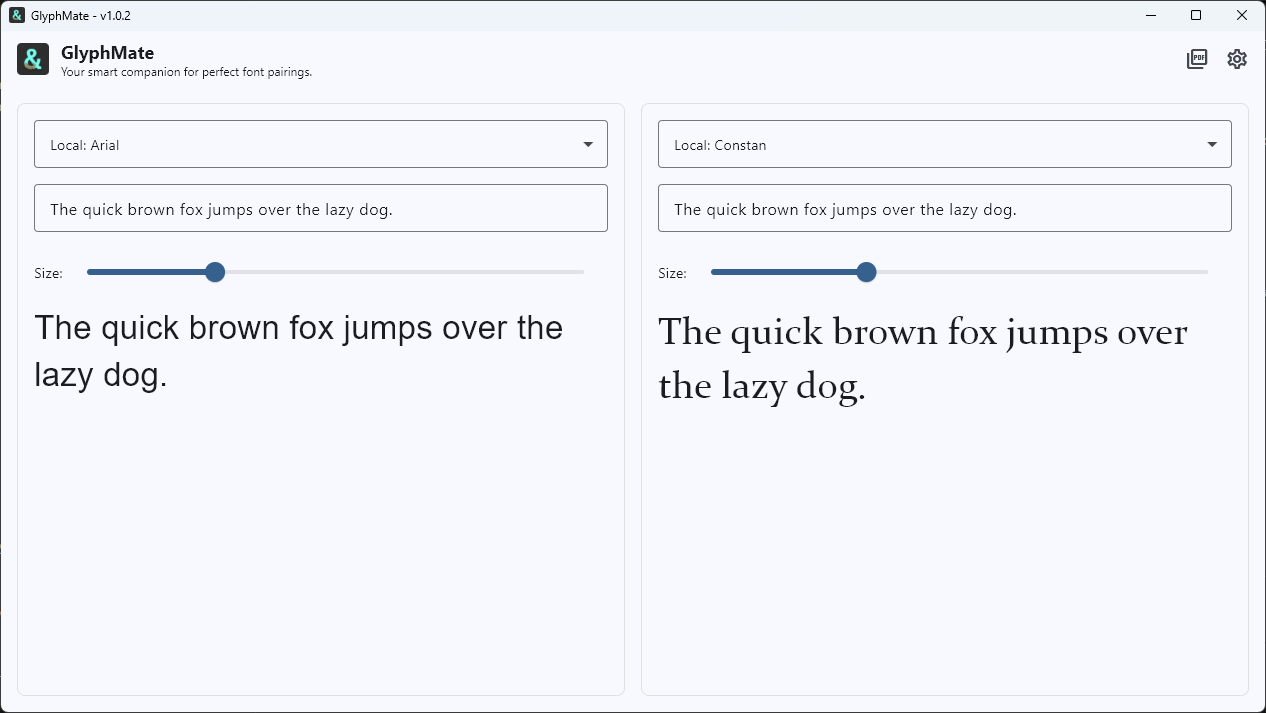
GlyphMate Main Interface

Powerful Font Management

From comparison to specimen export — everything you need in one tool.

Side-by-Side Comparison

Compare any two fonts from your local machine or Google Fonts with adjustable live preview.

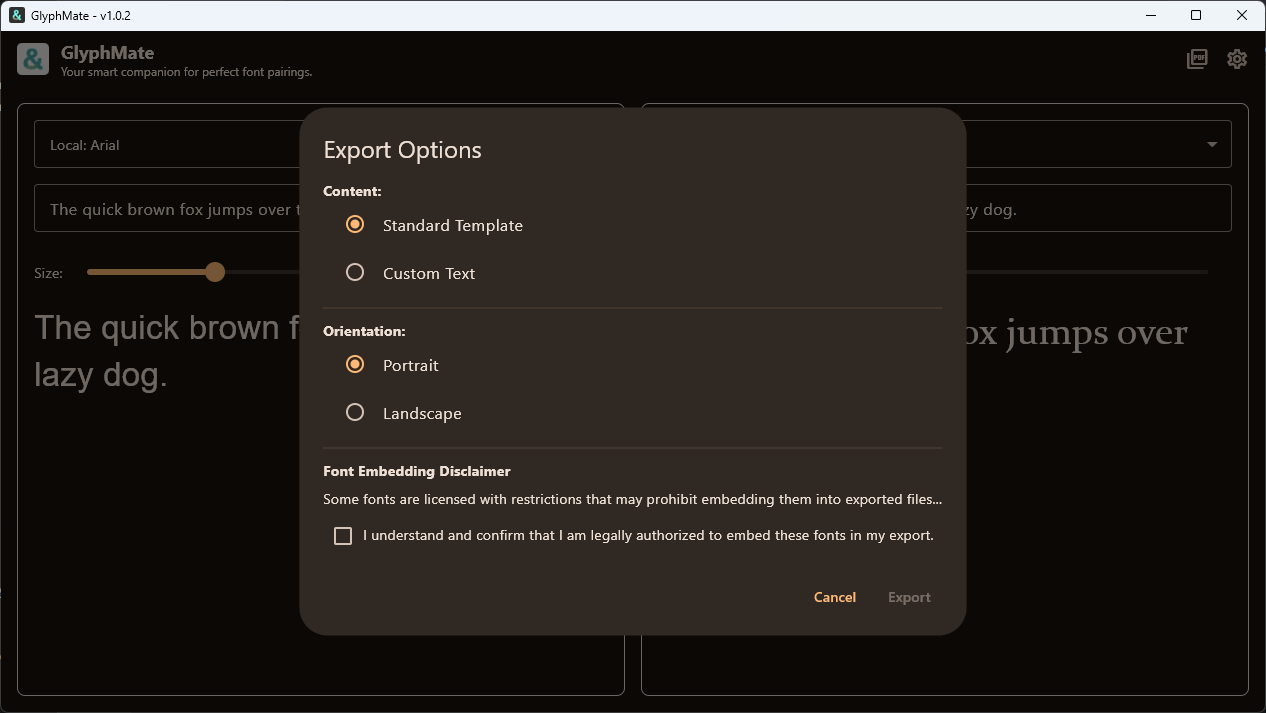
PDF Export

Create professional specimen sheets with custom text and templates in portrait or landscape.

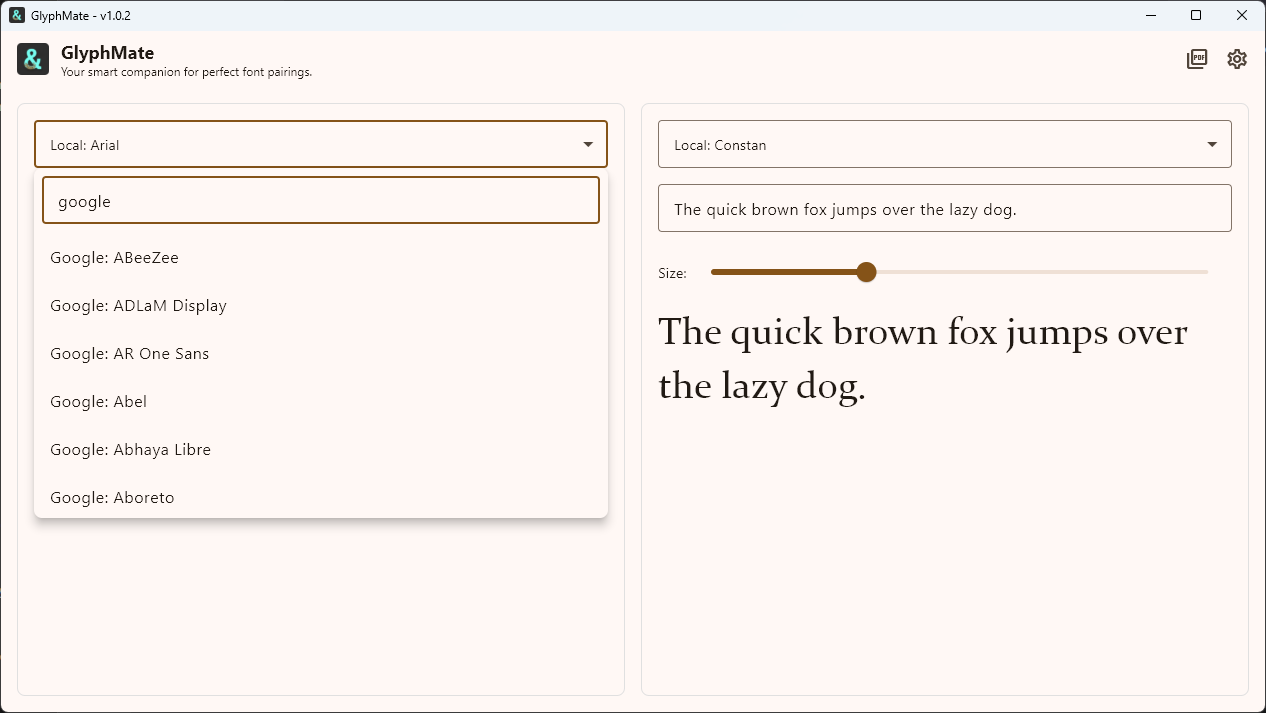
Unified Font Library

All local and Google Fonts in one searchable dropdown, neatly grouped.

Live Previews

Adjust text, size, and font instantly to see how your combinations really feel in context.

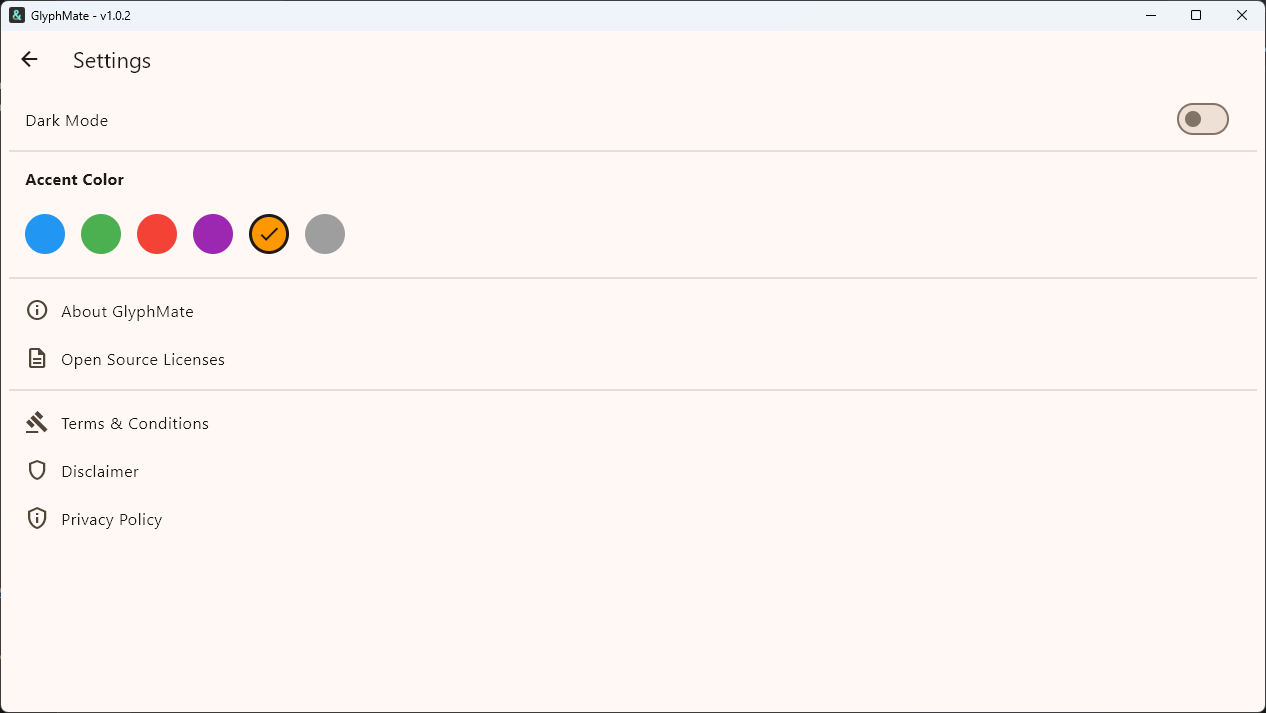
Light & Dark Mode

Switch effortlessly between light and dark themes with saved preferences.

Cross Platform & Portable

Cross-platform app with portable installers available for Windows & Linux.

Customizable with Light & Dark Modes

Change color overlay with native Light & Dark Modes.

Glyphmate settings

Searchable Font List & Settings

All local and Google fonts are available in a searchable dropdown.

Glyphmate dropdown search

Professional PDF Export

Generate beautiful, multi-page type specimen sheets in either Portrait or Landscape mode.

Glyphmate PDF export options

What's New

See the latest improvements and updates to GlyphMate.

GlyphMate 1.0.2

Patch

Added

  • Security: Implemented a secure backend proxy using Firebase Cloud Functions to protect the Google Fonts API key.

Removed

  • Removed the `.env` file and `flutter_dotenv` package from the client application; API keys are now stored securely on the backend proxy.

Fixed

  • Resolved a networking issue where Windows release builds could not access the internet to fetch Google Fonts.
View Full Changelog →

Get in Touch

Have feedback, bug reports, or feature suggestions? We'd love to hear from you.

support@mooseapps.io