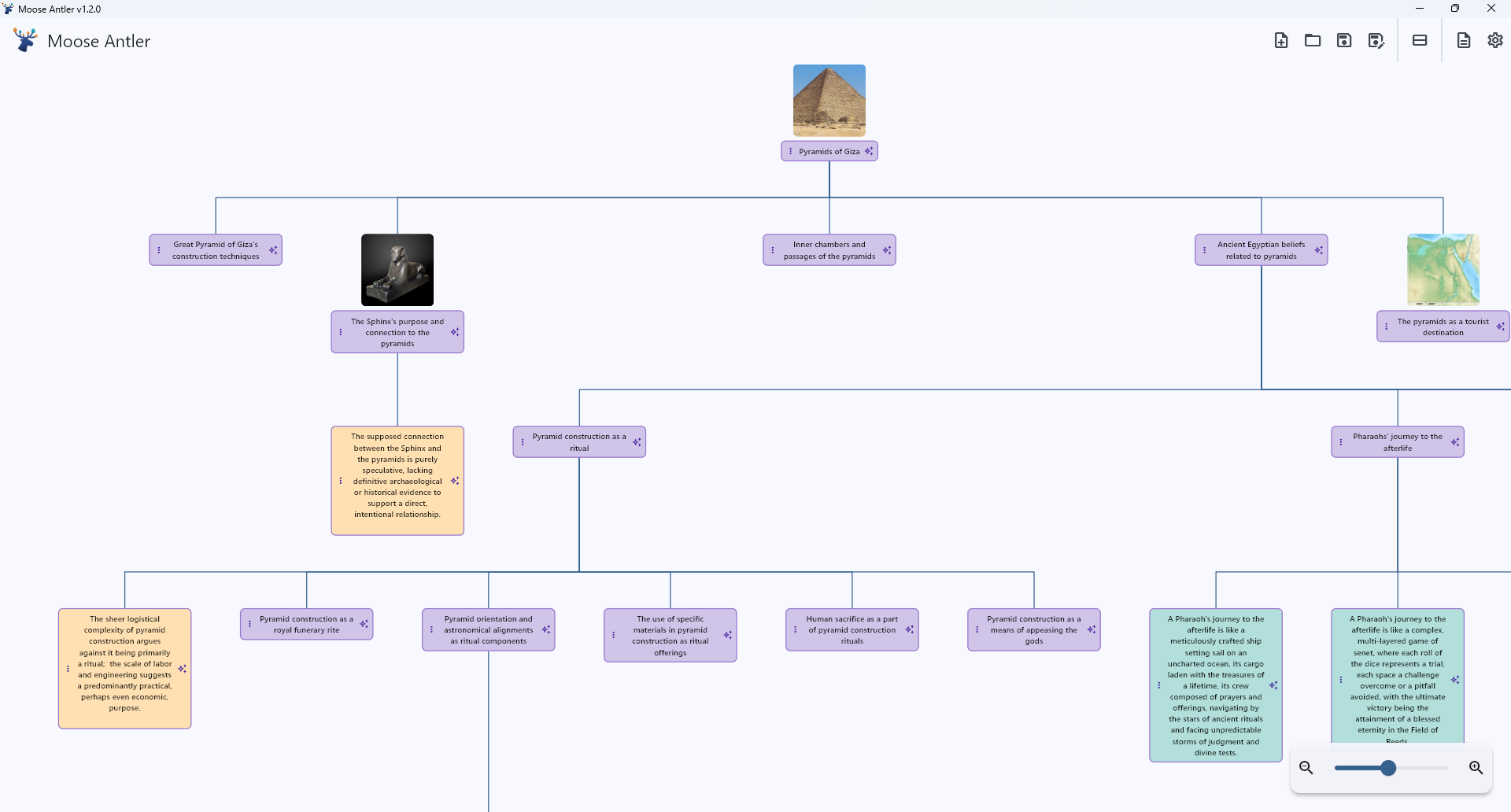
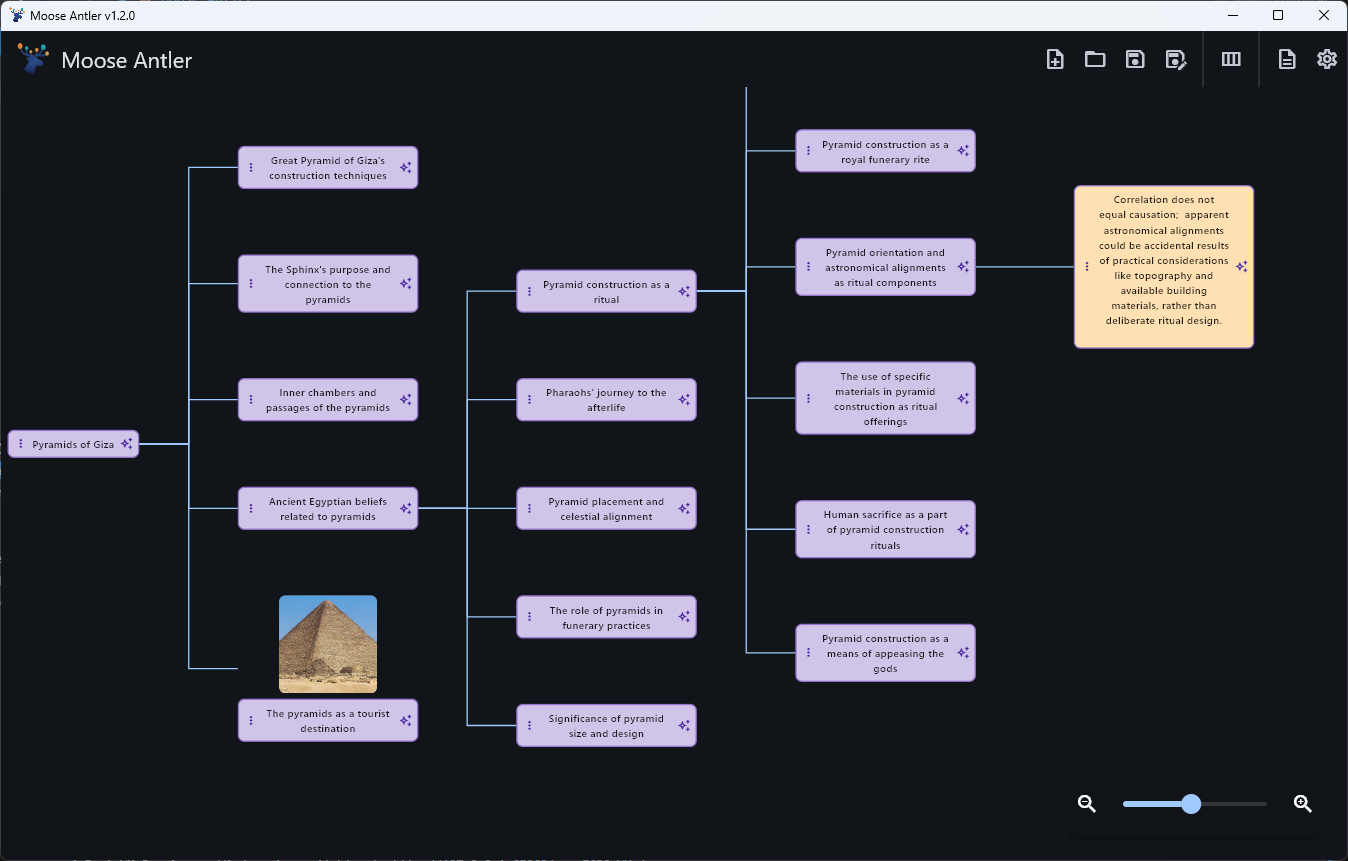
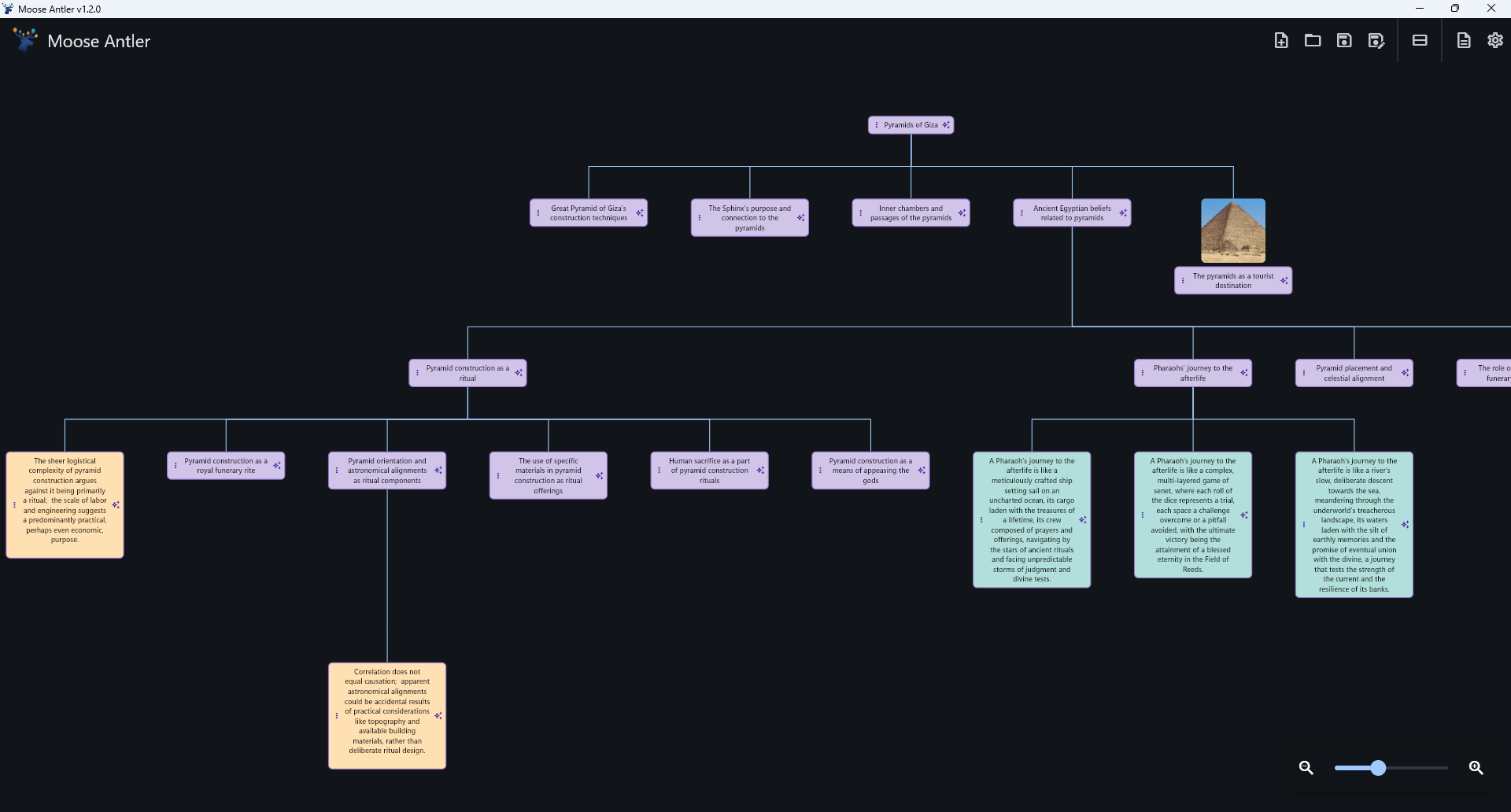
A modern mind-mapping tool with a smart AI co-pilot. Moose Antler helps you organize thoughts, break creative blocks, and turn good ideas into great ones.
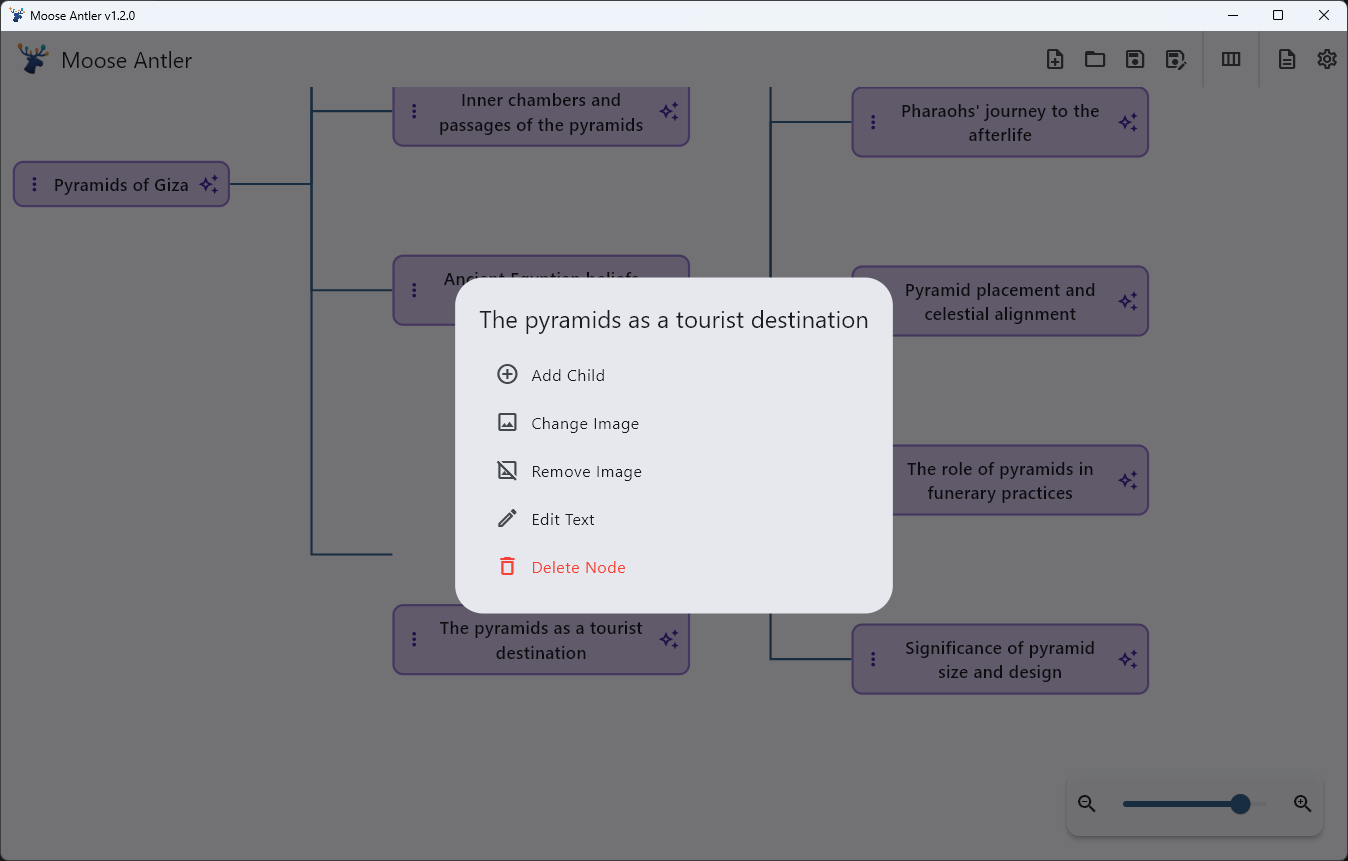
Quickly add, edit, and delete nodes with a clean, minimal interface. Long-press or click for actions.
Collapsible Branches
Effortlessly expand and collapse entire branches to focus on what matters and manage complexity.
Flexible Layouts
Instantly switch between vertical and horizontal tree layouts to visualize your map in the way that works best for you.
Infinite Canvas
A fluid, pannable, and zoomable canvas that grows with your ideas. Never run out of space.
Private & Portable
Files are saved locally. Use any cloud-synced folder (Google Drive, Dropbox) to work across devices.
Export Options
Easily export your mind maps to a structured Markdown file, ready for any note-taking app or text editor. Or to a mind-mapping tool like Freemind.
Your AI Co-Pilot, Not an Autopilot
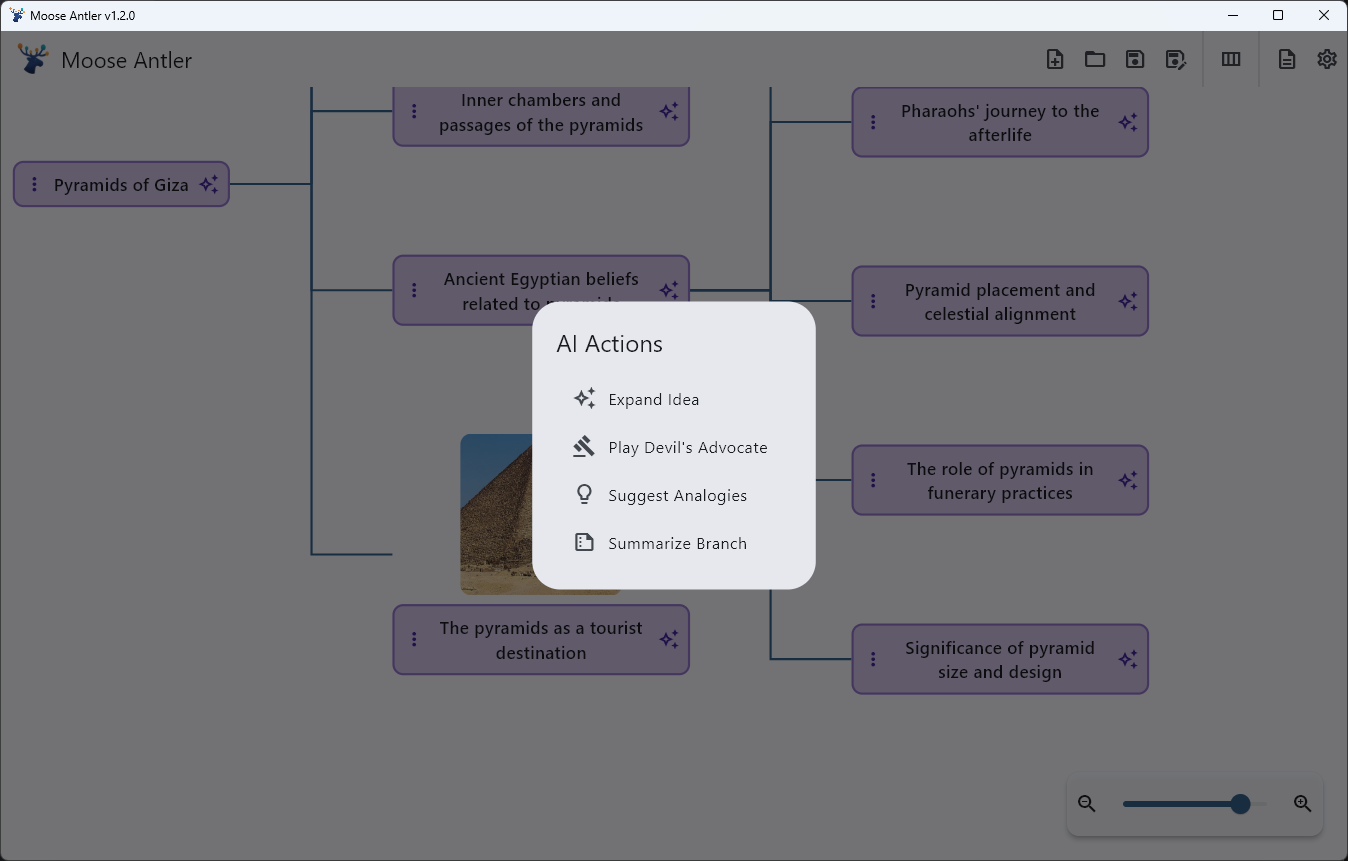
We believe AI should be a scalpel, not a sledgehammer. Moose Antler gives you just enough AI to fuel your brainstorming, not replace it. Click the ✨ icon on any idea to access surgical actions.
✓Expand Idea: Generate related concepts to explore new avenues.
✓Suggest Analogies: Discover new ways to think about your topic.
✓Play Devil's Advocate: Uncover weaknesses and strengthen your arguments.
✓Summarize Branch: Condense a complex branch into a clear summary.
Rich, Visual Mapping
Go beyond text. Add images to your nodes to create vibrant, visual mood boards, story maps, and project plans.
Focus with Flexible Layouts
Switch between horizontal and vertical layouts with a single click to find the perspective that best suits your project.
Customizable & Persistent
With light/dark modes and persistent settings, the app remembers your workflow, including your last-used file and zoom level.
A Versatile Tool for Any Project
Moose Antler is for anyone who starts a project with an idea. Here's how people are using it.
For Students & Researchers
Plan essays and research papers with unparalleled clarity. Use "Play Devil's Advocate" to find counterarguments and "Summarize Branch" to condense research.
For Creative Professionals
Outline a novel, design a user-flow, or build a world. Attach character sketches or mockups to nodes and use "Suggest Analogies" to break creative blocks.
For Productivity Enthusiasts
Map out a new business venture or plan a software project. Use "Expand Idea" to flesh out project phases and then export the entire plan to Markdown to share.
What's New
We're always working to make Moose Antler better.
Moose Antler 1.4.0
2025-08-31
NewExport to Markdown & Freemind XML: Now export your mindmaps to a Markdown list or to a conventional Freemind (.mm) format.
Improved
Performance enhancements for large mind maps with many nodes.
Improved
UI tweaks for better readability in both light and dark modes.